LV / 01
ZERO CODE
3 sec
Swap Pets
The firmware includes 18 ASCII species—long-press A → menu → next pet to cycle through, persists across power loss. If you just want a reskin, this step is enough.
Anthropic open-sourced an ESP32 firmware that maps Claude Code's session state to a little pet on your desk. The real problem it solves: when Claude Code runs long tasks, approval popups interrupt you every time—Buddy eliminates this interruption with a physical button.
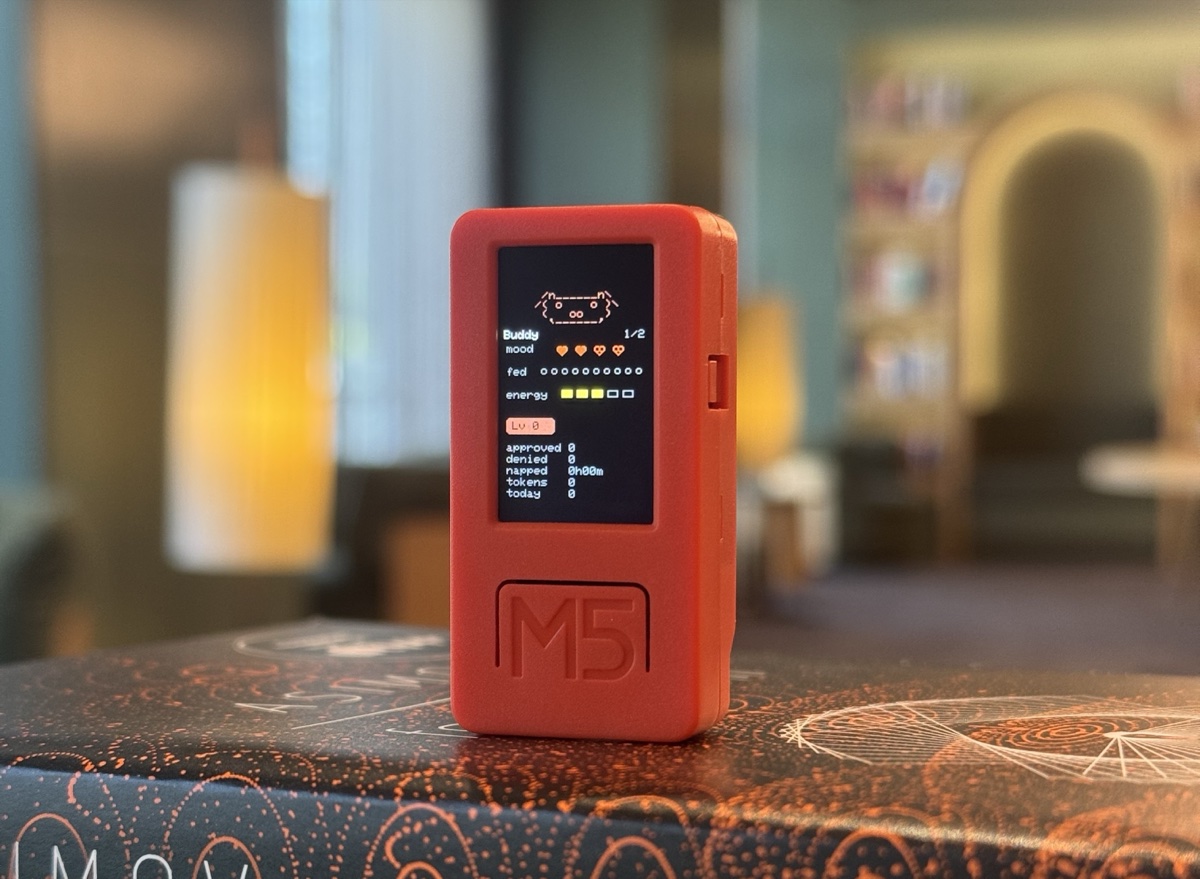
Buddy transforms agent approval from "switch windows and click" to "glance at the device and press"—what you save isn't two seconds, it's the attention context switch.
Counter-consensus insight: even if you never touch hardware, simply studying Buddy as a reference case for "what an agent approval UI should look like" is worth the $25 and an afternoon.
When Claude Code runs long tasks, the most annoying thing isn't the waiting—it's the popups.
You just hit your stride, then approve: Bash pops up—switch windows, click the button, switch back to your editor, and that thread in your head is broken. One time doesn't hurt, but they add up. The more authority you give the agent, the more popups; but without authority, the agent can't run.
What Buddy does is simple: it turns "switch back to the Claude window and click a button" into "glance at the device, reach out and press." It sounds like saving two seconds, but what you're actually saving is the attention context switch.







FIG / 02 LIVE GIFS FROM characters/bufo/ — official repo character pack
| Default | Viewing Pet | Viewing Info | During Approval | |
|---|---|---|---|---|
| A (front) | Next screen | Next screen | Next screen | ✓ Approve |
| B (side) | Scroll conversation | Next pet | Page down | ✗ Reject |
| Long-press A | Enter menu | |||
| Shake | Trigger dizzy animation | |||
| Place face-down | Sleep & recharge (save energy) | |||
Auto screen-off after 30s idle / stays on during approval / any button wakes
You're debugging in another terminal while Claude runs batch tasks in the background. No need to switch windows—hands stay on keyboard, glance over, press once. Especially useful with dual monitors or when Claude runs on another machine.
Every 50K tokens triggers a level-up confetti burst. This number used to be buried in a webpage with no real awareness. Now a physical event happens on your desk—you genuinely notice how much you're burning, which has a non-obvious effect on cost control.
Face-down = go to sleep, don't bother me; shake = just playing around. Sounds a bit silly, but these two gestures convey intent at a much lower cost than typing, and they're real physical actions, not software buttons.
The firmware includes 18 ASCII species—long-press A → menu → next pet to cycle through, persists across power loss. If you just want a reskin, this step is enough.
Don't want ASCII? Create a set of GIFs and drag them to the Hardware Buddy window's drop target, which pushes them to the device via BLE for real-time switching. The repo's characters/bufo/ is a complete frog example.
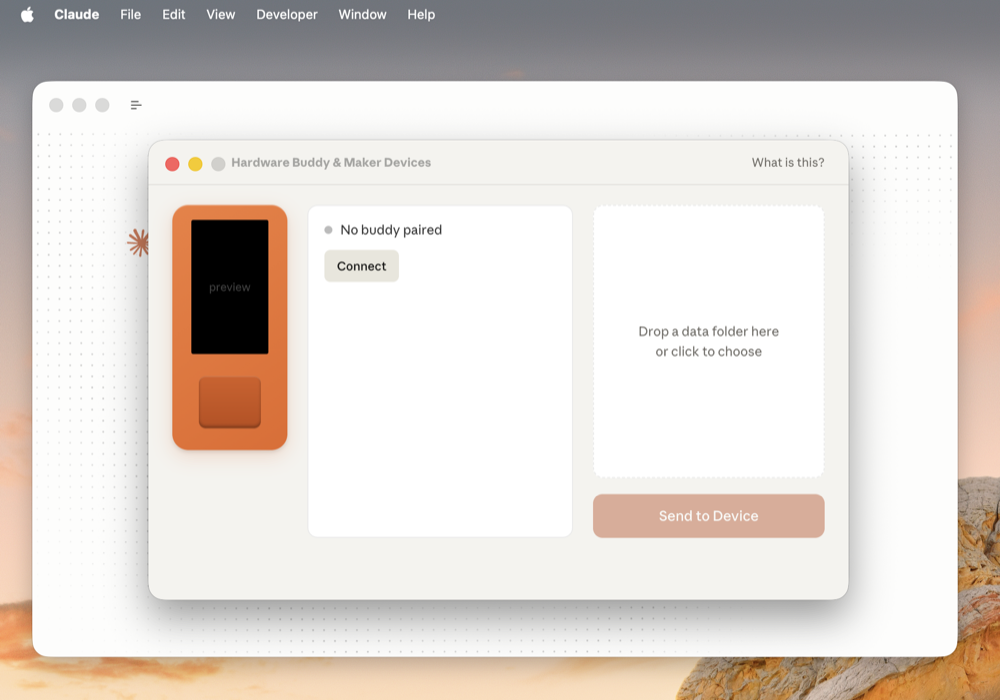
96px wide / height ≤140px / total pack < 1.8MB · tools/prep_character.py handles uniform scaling · gifsicle --lossy=80 -O3 --colors 64 typically compresses 40~60%
Don't want to go through Bluetooth every time when iterating on characters: tools/flash_character.py characters/bufo puts assets in data/ then pio run -t uploadfs writes directly to the filesystem.
src/ structure is clean: state machine in main.cpp, one file per species animation in buddies/, BLE bridge in ble_bridge.cpp, GIF decoding in character.cpp. Add new states, new triggers (like double-click), or modify animations—just edit one file.
Nordic UART over BLE, JSON over line buffer, schema all in REFERENCE.md. The docs explicitly state: "Building your own device? You don't need any of the code here."
In other words: you don't need an M5Stick to connect, you don't have to display a pet, and you can use it entirely in reverse.
Any ESP32, nRF52, or Raspberry Pi + dongle that can run BLE can connect.
A mechanical flip clock, an old Nokia screen, a fog lamp by the office door—anything that can consume those few state messages.
Feed Claude state into Home Assistant—when the agent starts running, dim the house lights; when it finishes, bring them back up.
M5StickC Plus whole device ~$25, open-source firmware, flash with PlatformIO. The barrier to entry is essentially zero.
VID / 01 PlatformIO setup → firmware flash → Developer Mode → BLE pairing → live approval interaction
Flash the official firmware on M5StickC Plus, try it for a week first.
Long-press A → menu → next pet, try all 18 ASCII species.
Drag a GIF character pack over, or make your own (96px wide, < 1.8MB).
Add a double-click trigger, modify animations, add new states.
Use the open BLE protocol to connect your existing devices to Claude's state.
Feed Claude state into Home Assistant / Stream Deck / custom keyboard macros.
Even if you never touch hardware, studying Buddy as a reference case for "what an agent approval UI should look like" is worth the $25 and an afternoon.
What problem Buddy solves, how to use it, how to hack it · State table + day-in-the-life narrative + action gradient
▣ Currently ReadingProtocol teardown + design analysis + protocol stack positioning + future predictions · The full picture of BLE to agent-hardware communication
▢ PublishedFirst published 2026-05-09